18
screens specified across driver and office
87
designed states, including every failure path
2
themes, Paper and Night, on both surfaces
4
tablet sizes, from 390 to 820 wide
Counts come from the specification files the product was built from.
THE PROBLEM
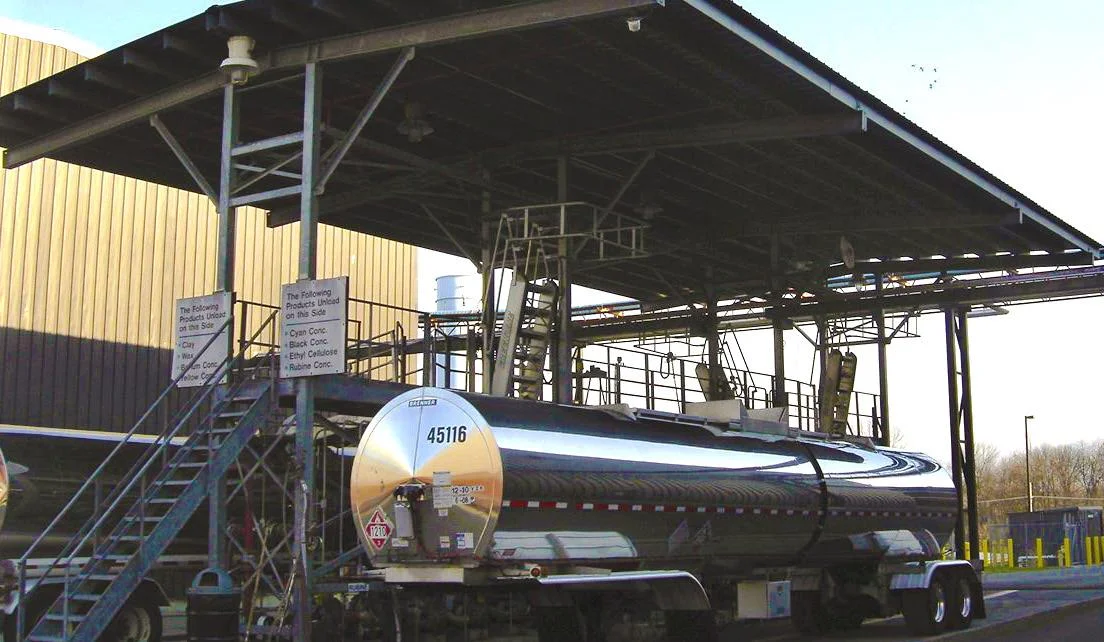
Small fuel carriers run on paper. A driver loads at a terminal, gets a printed bill of lading with gross and net gallons on it, delivers, and hands the office a stack of documents at the end of the week. Somebody keys every number into an invoice by hand. Gallons get transposed, loads get billed late, and a document nobody can find is a load nobody gets paid for.
WHAT I BUILT
Two tiers of one product, on two surfaces
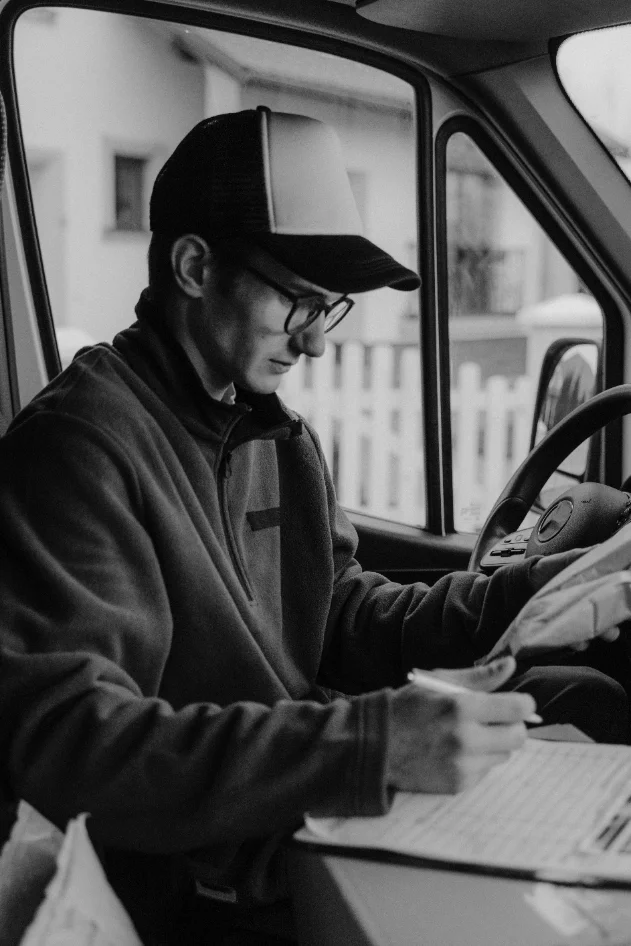
A driver app that runs on a shared tablet at the yard, and an office admin that runs on a desktop. A carrier can start with capture alone and grow into the full operation without changing systems.
rackrunner Scan
Capture and file documents. Every BOL photographed, read, and findable. No loads, no invoicing.
rackrunner Haul
The full operation: loads, dispatch, invoicing, and driver pay, with every document attached to the load it belongs to.
A DRIVER'S DAY
Eight screens from sign-in to day complete
This is the whole driver job. Every screen has one primary action, large targets, and copy a person can read at arm’s length in direct sun. Scroll sideways to follow the day.
01
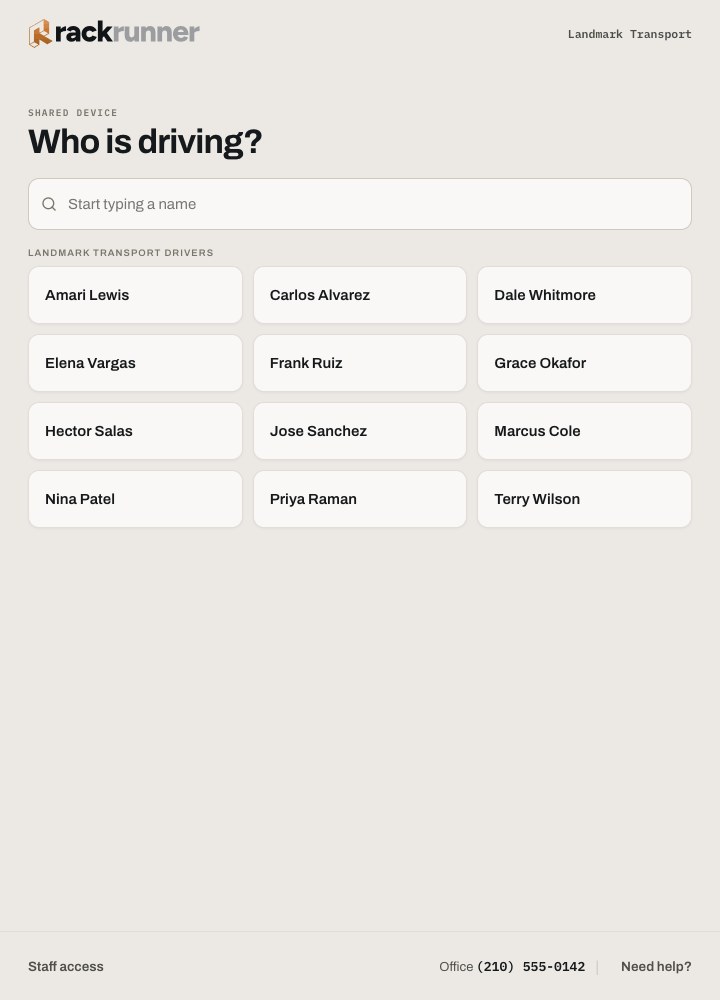
Who is driving
The shared tablet opens to a list of names. No usernames to remember.
02
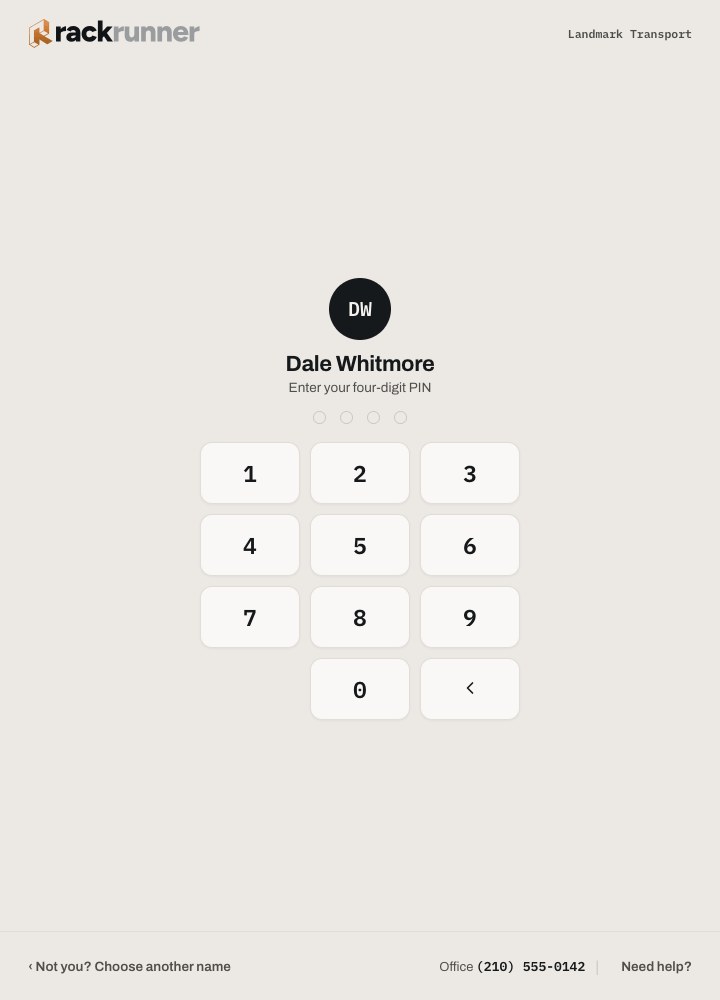
PIN
Four digits, set by the office, never displayed again.
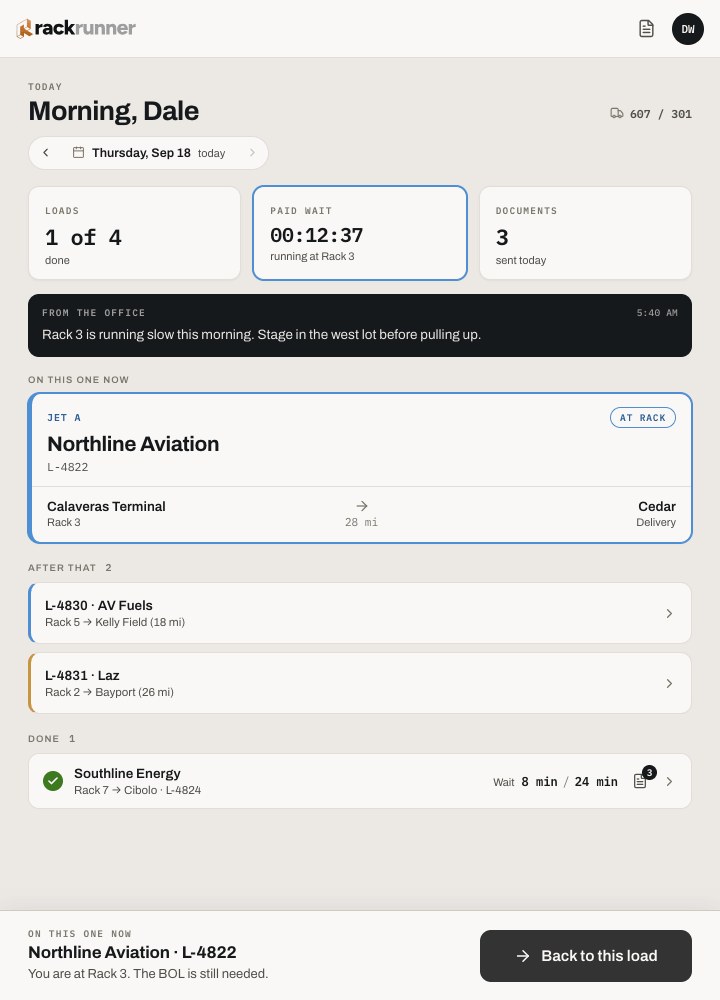
03
On a load
Today shows the current load and the next stop. One primary action.
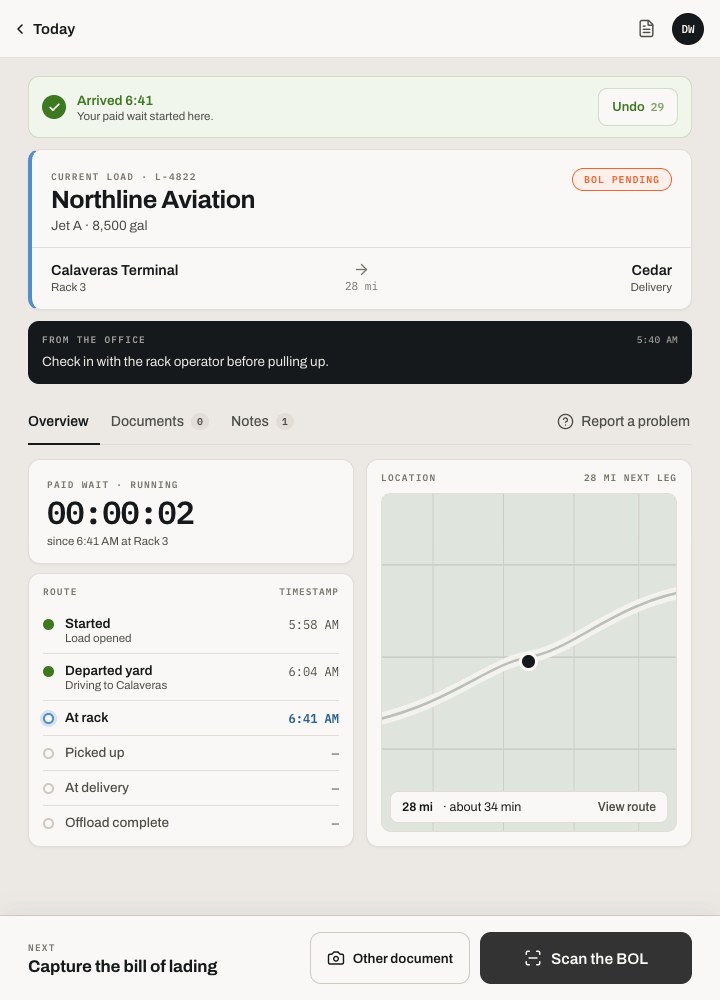
04
Just arrived
Arrival is stamped, and paid wait time starts on its own.
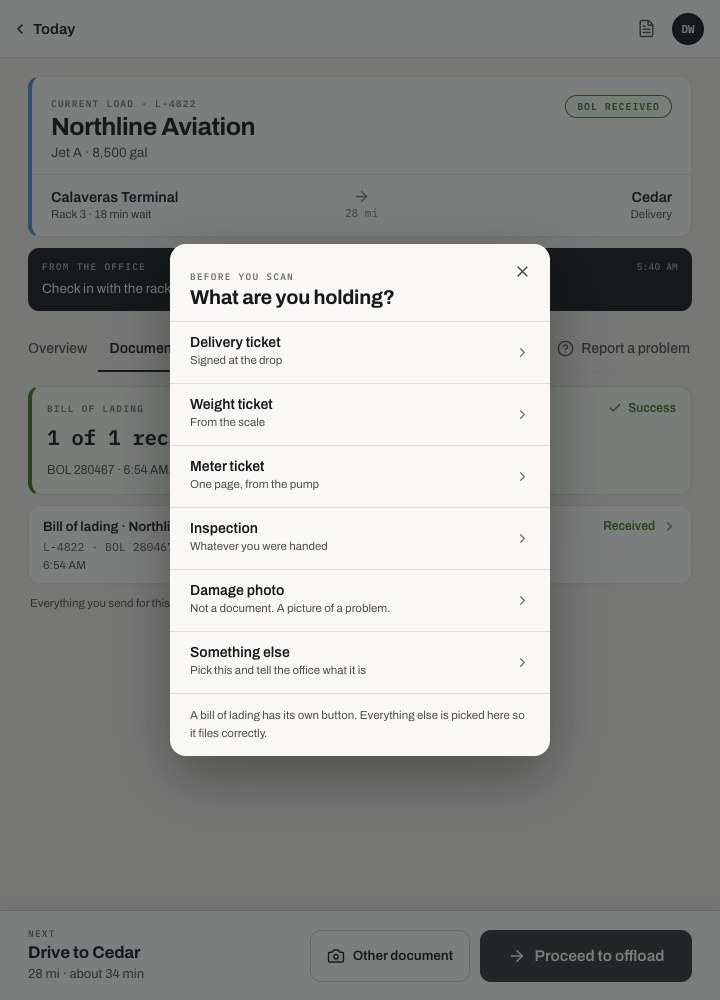
05
Pick a type
BOL, delivery ticket, or receipt. Three large targets for a gloved thumb.
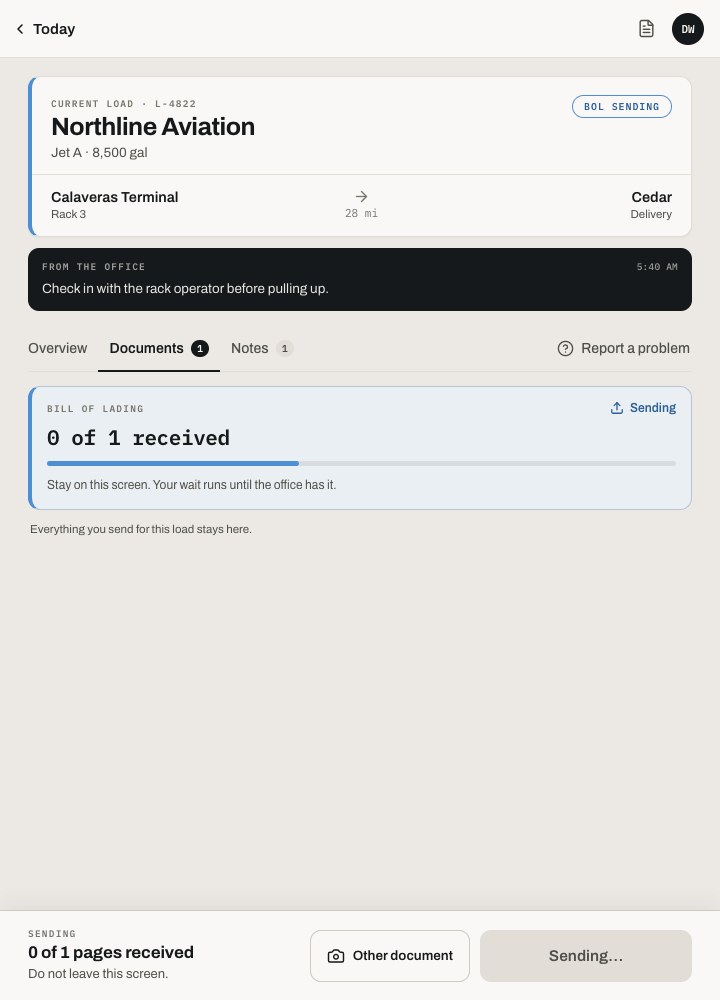
06
Sending
The driver can walk away. Sending finishes in the background.
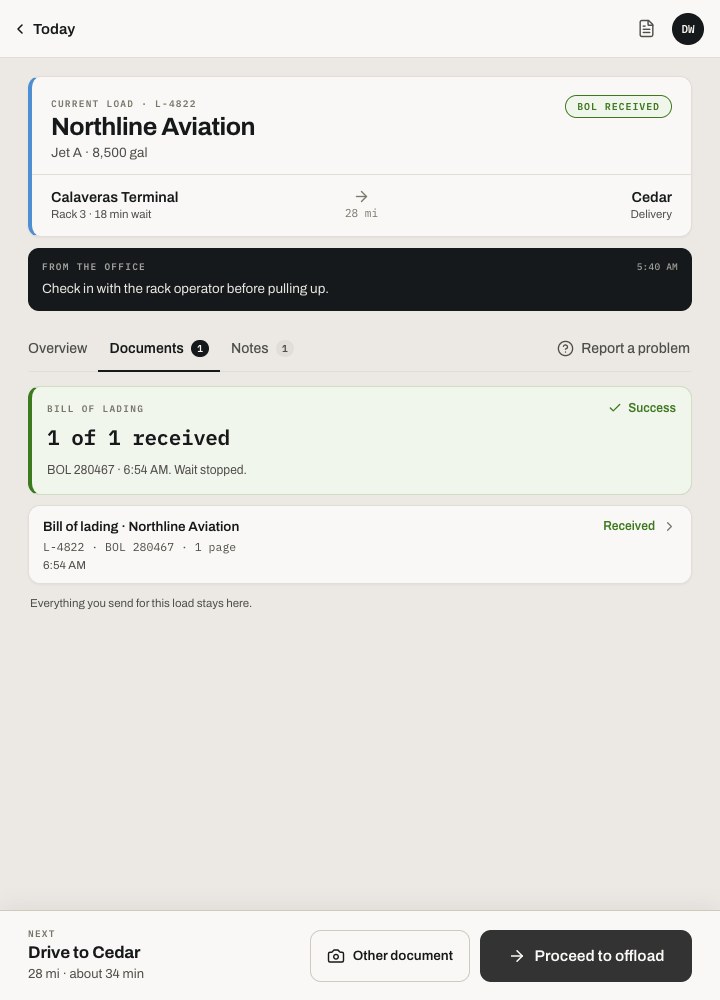
07
Received
The office has it. That is the only confirmation the driver needs.
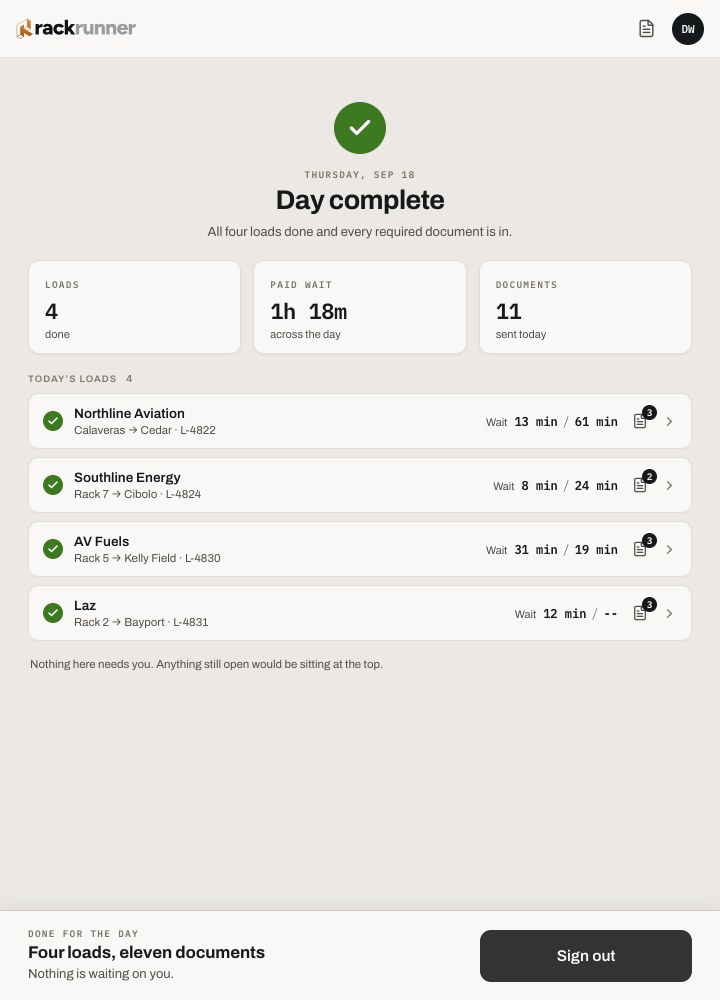
08
Day complete
A plain summary of the day, then the tablet is ready for the next driver.
THE CORE INTERACTION
Capture, review, file
The three moments where a document changes hands. Each surface shows only what that person needs to act on.
01 · CAPTURE
The driver photographs the BOL at the rack
Perspective is corrected on the device and the gallon figures are read before the truck leaves the yard. If the office still needs the BOL, the tablet says so plainly and waits.
02 · REVIEW
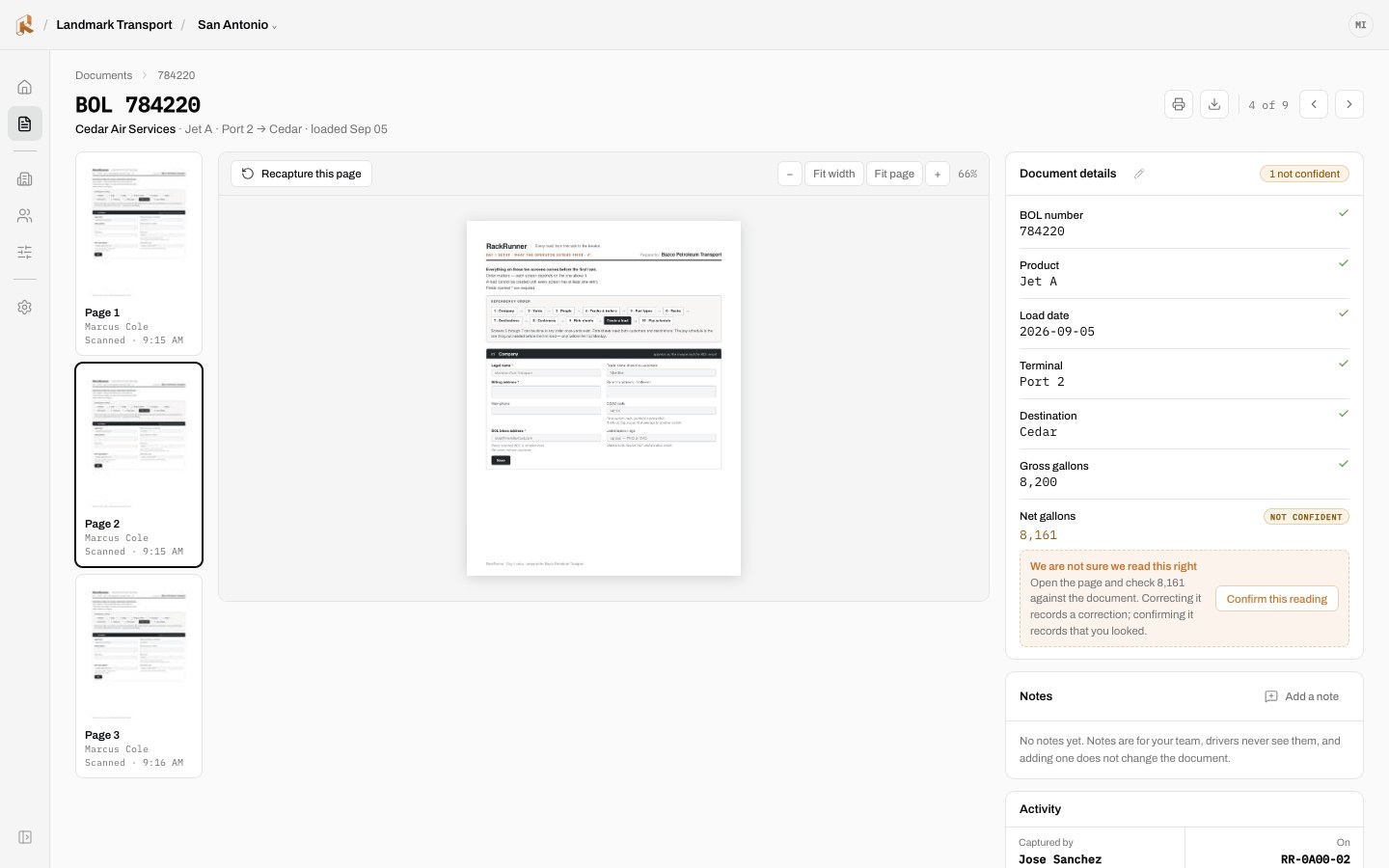
The office sees a flagged field, not a failure
The scan read 8,161 and was not sure, so a person confirms it once. Copper marks the things that need a human. Everything the scan was sure of stays quiet.
03 · FILE
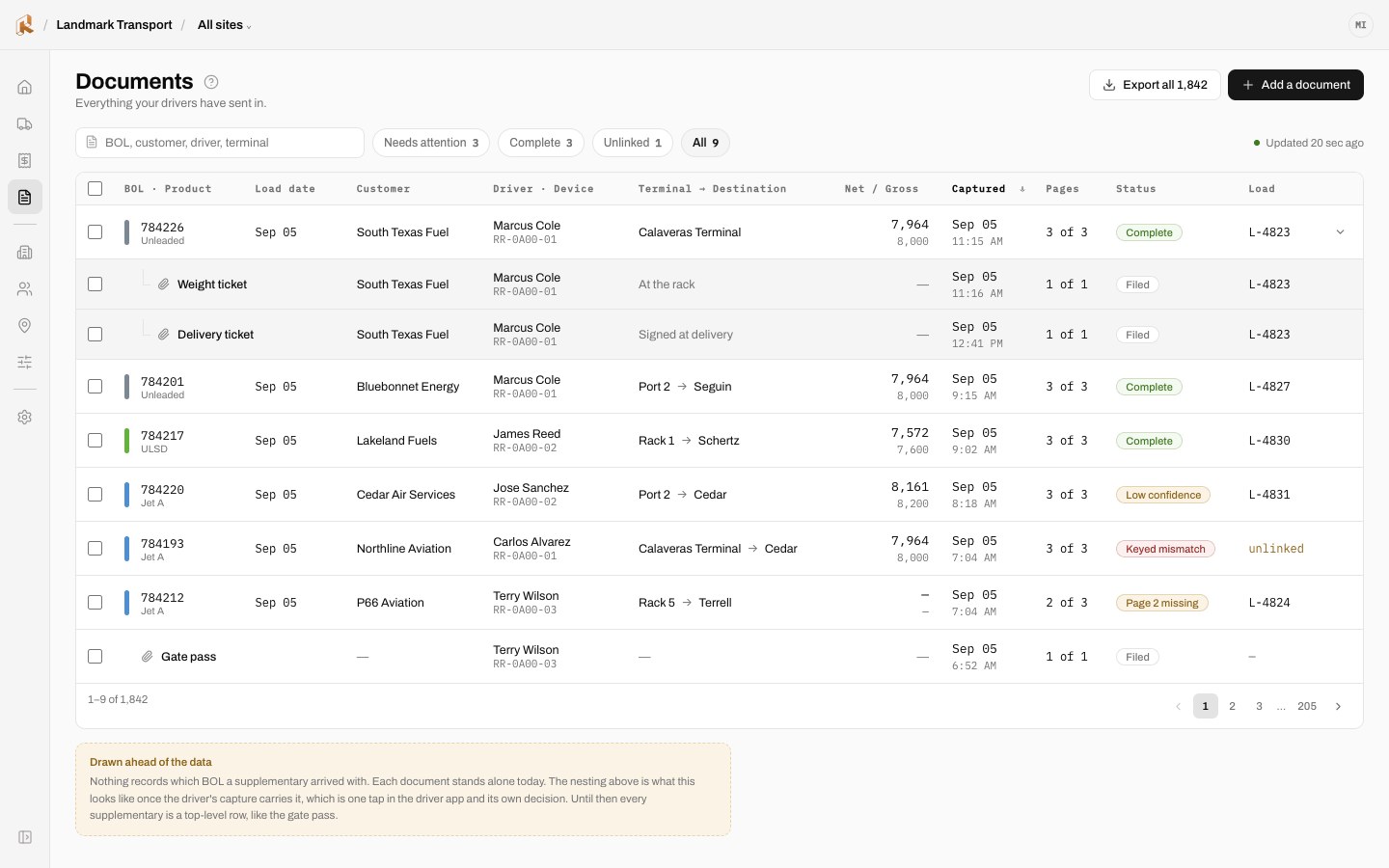
The document lands on its load, ready to bill
In Haul, a confirmed document attaches to the load it belongs to, so invoicing starts from a document nobody retyped. In Scan, it is filed and findable.
DESIGNING FOR FAILURE
The unhappy paths got as much design as the happy one
Of the 87 designed states, most describe something going wrong: no signal, a wrong PIN, a document that did not send, a page that cannot be scanned. In a yard these are ordinary, so each one gets a clear next step.
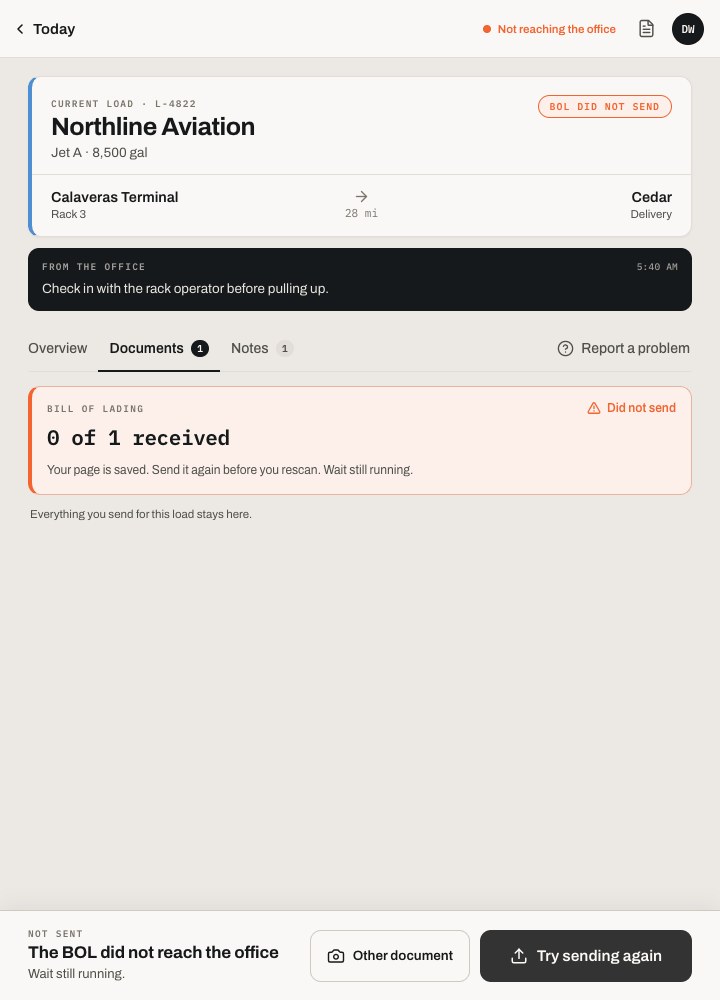
01
Did not send
The tablet keeps the document and says what to do next, instead of showing an error code.
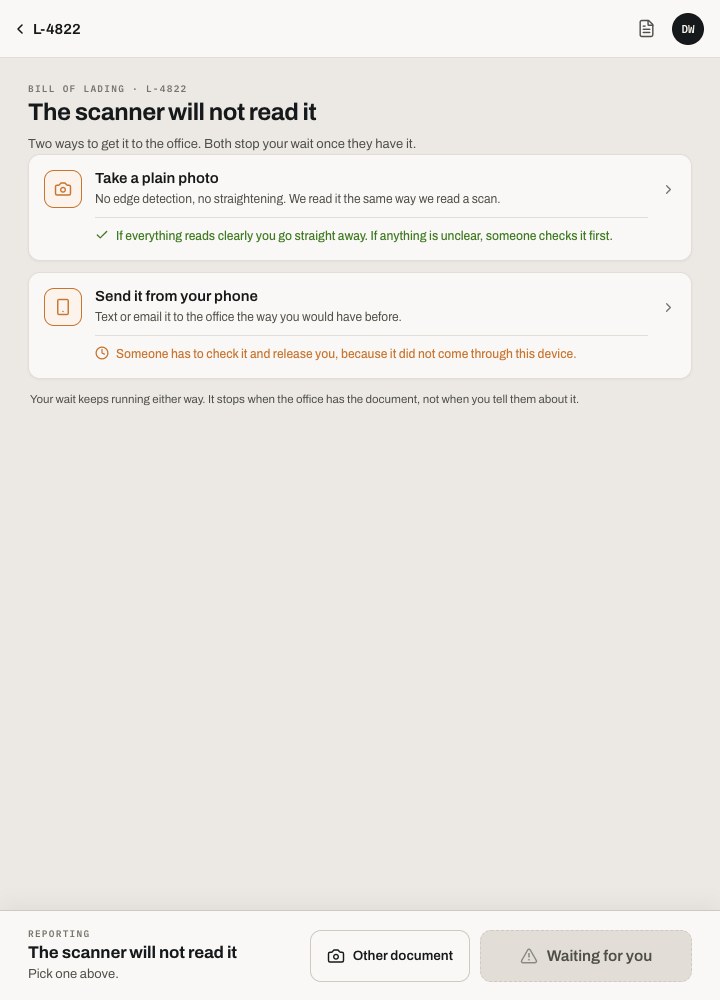
02
Cannot scan
A torn or wet BOL has a way through: photograph it and let the office read it.
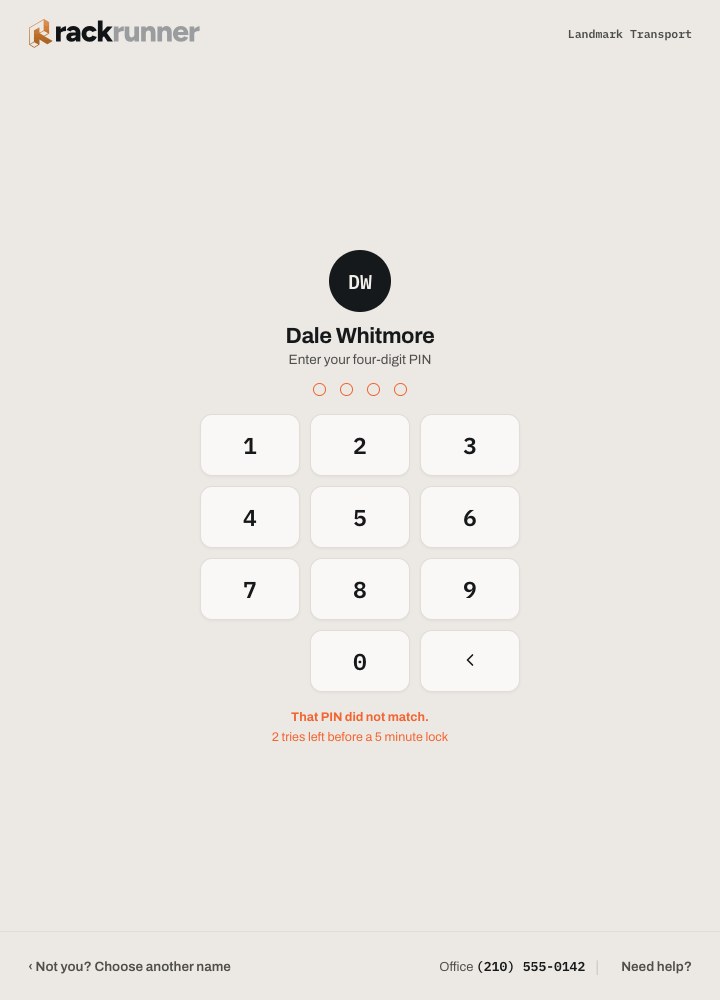
03
Wrong PIN
Plain language, a visible count of tries left, and a path to the office.
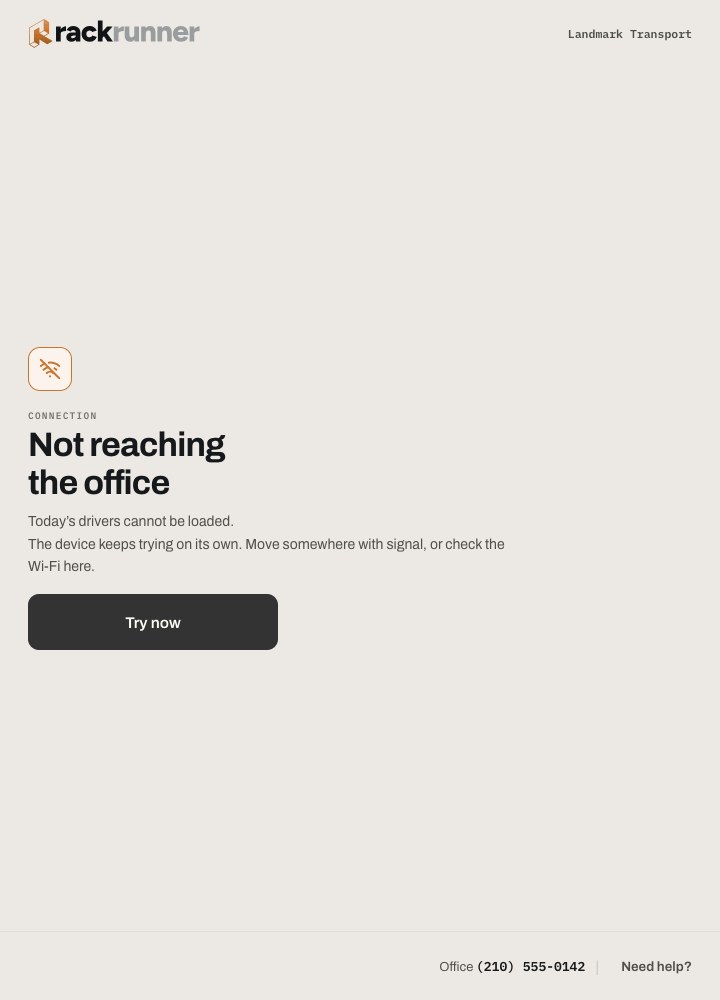
04
No signal
Yards have dead spots. Sign-in explains the wait and keeps trying.
LIGHT AND DARK
Paper and Night, named for where they get used
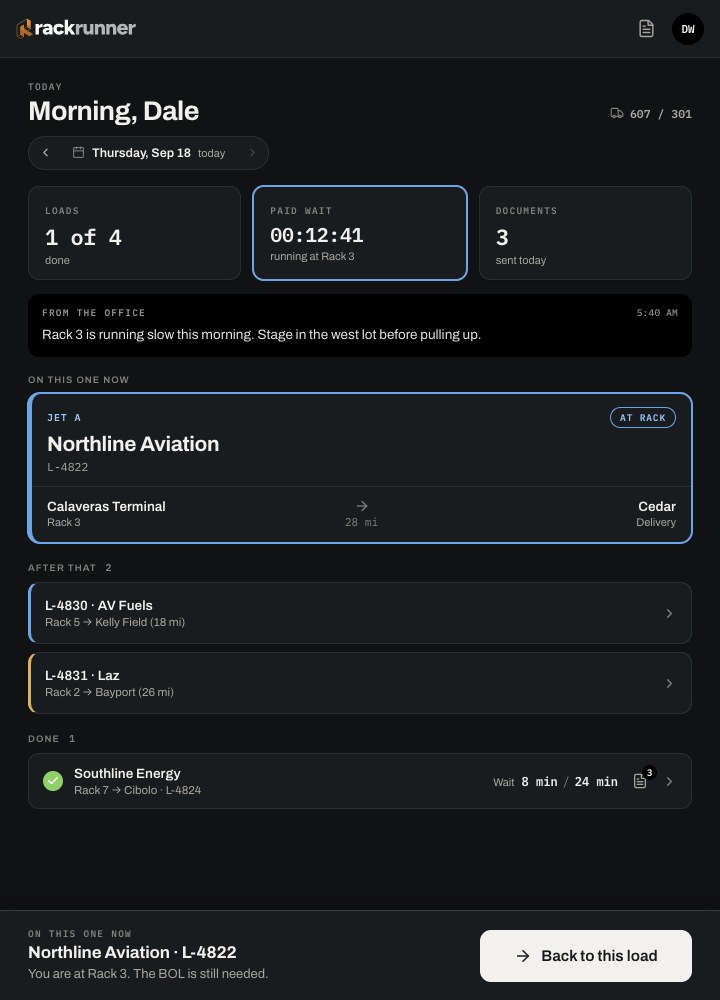
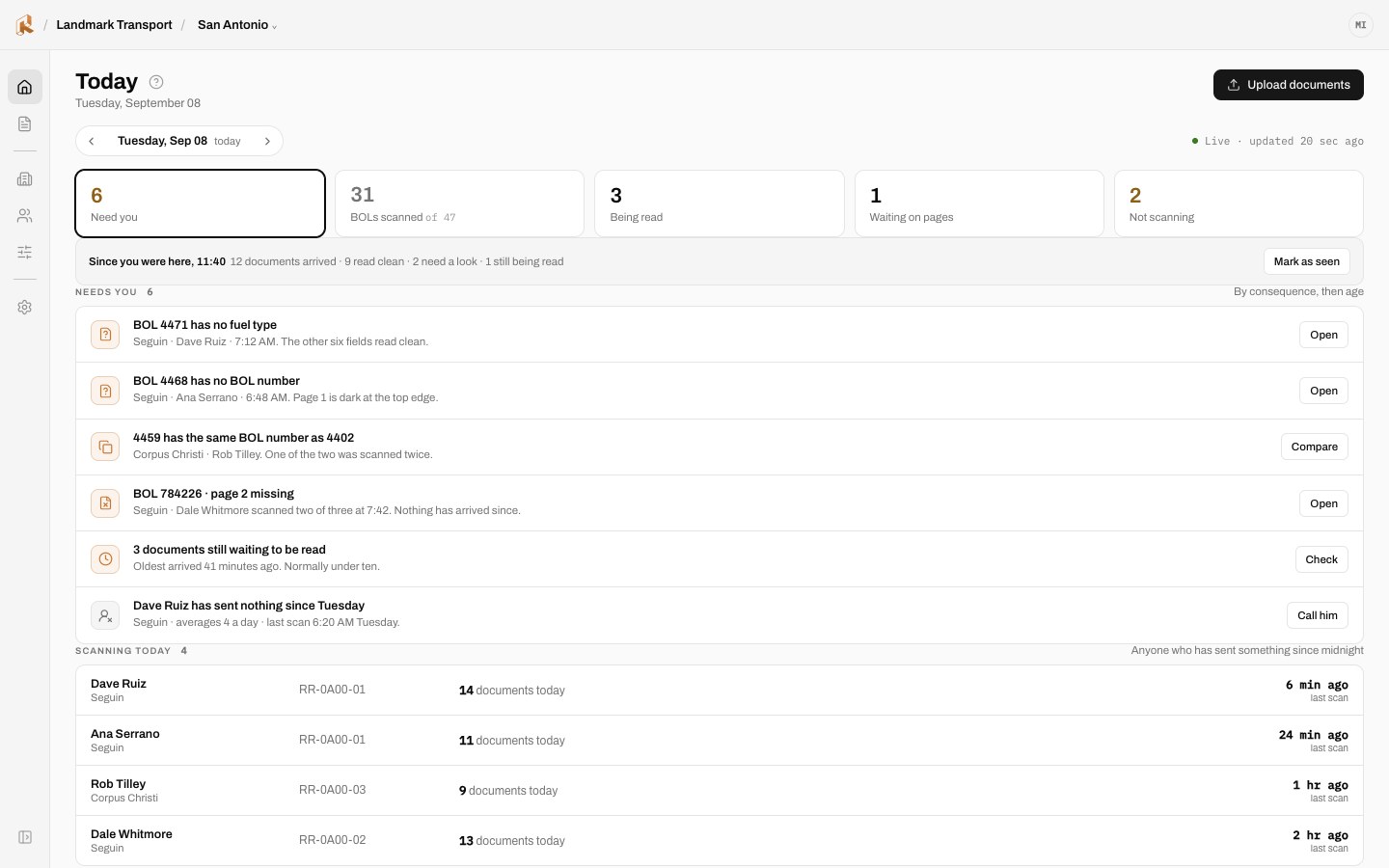
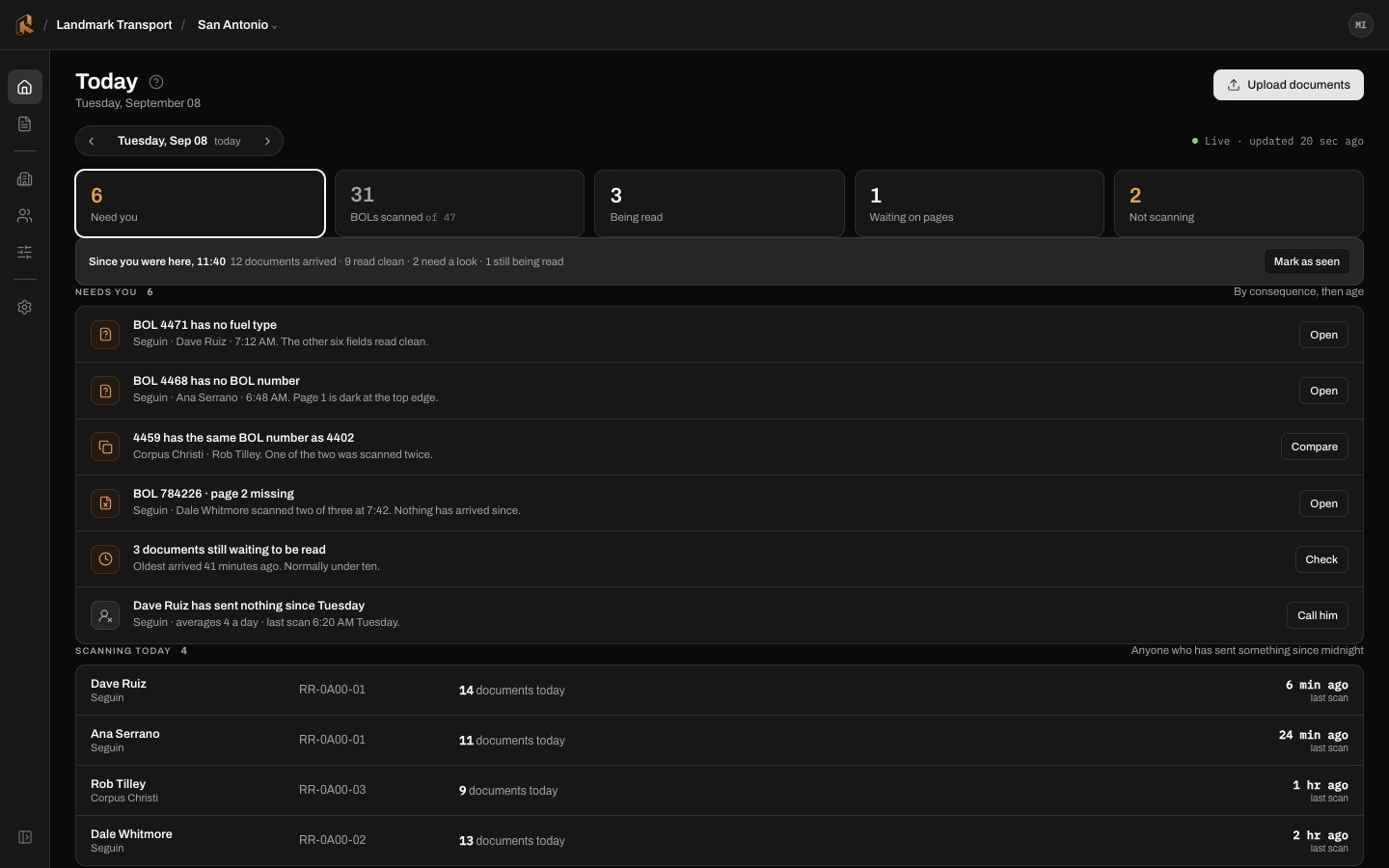
Paper is for noon at the rack, when glare washes out a dim screen. Night is for a 4 a.m. cab, when a bright screen ruins a driver's eyes for the road. Both themes share one token set, so copper still means "needs a person" in either one.
PAPER · DRIVER
NIGHT · DRIVER
PAPER · OFFICE
NIGHT · OFFICE
THE OFFICE
One screen per job
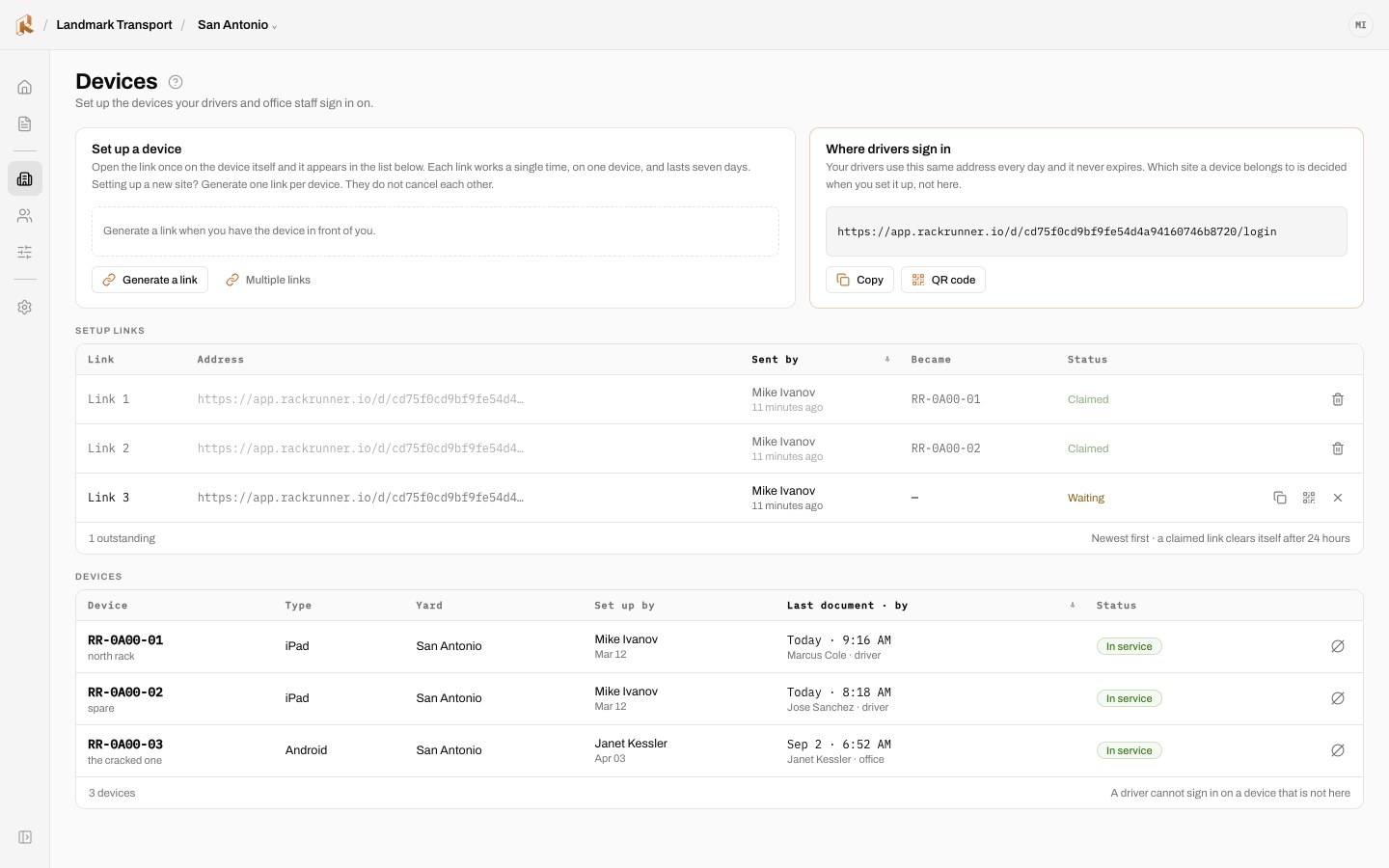
The office admin is organized around what an operator does in a day, not around database tables. Today answers "what needs me," and setup screens stay out of the way once they are done.
TODAY · A WORKING MORNING
DEVICES
Tablets are assets, not accounts
Each yard tablet is linked, put in service, or taken out. Drivers never own one.
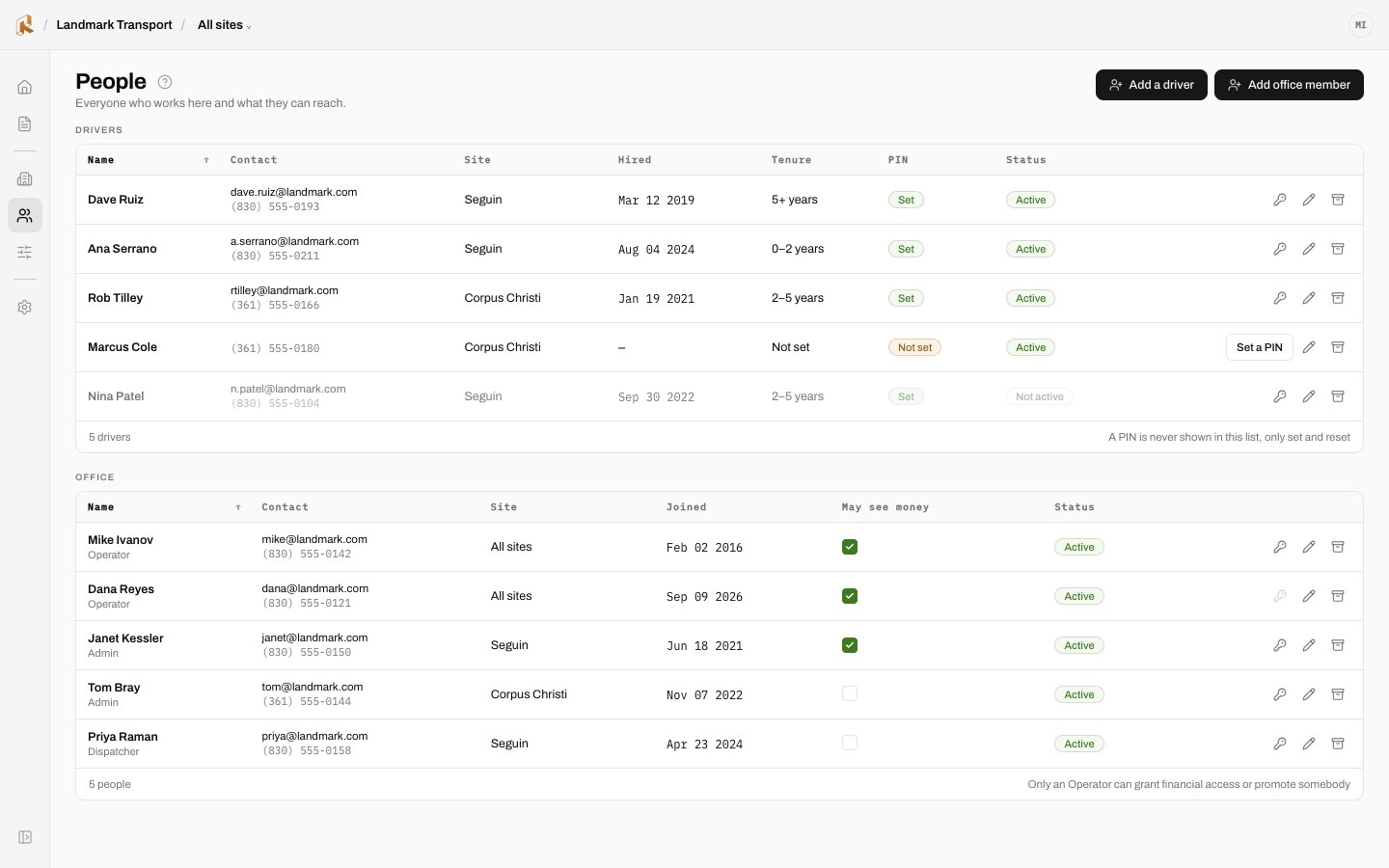
PEOPLE
Roles scoped to sites
Operators see the sites they run. Drivers get a name and a PIN.
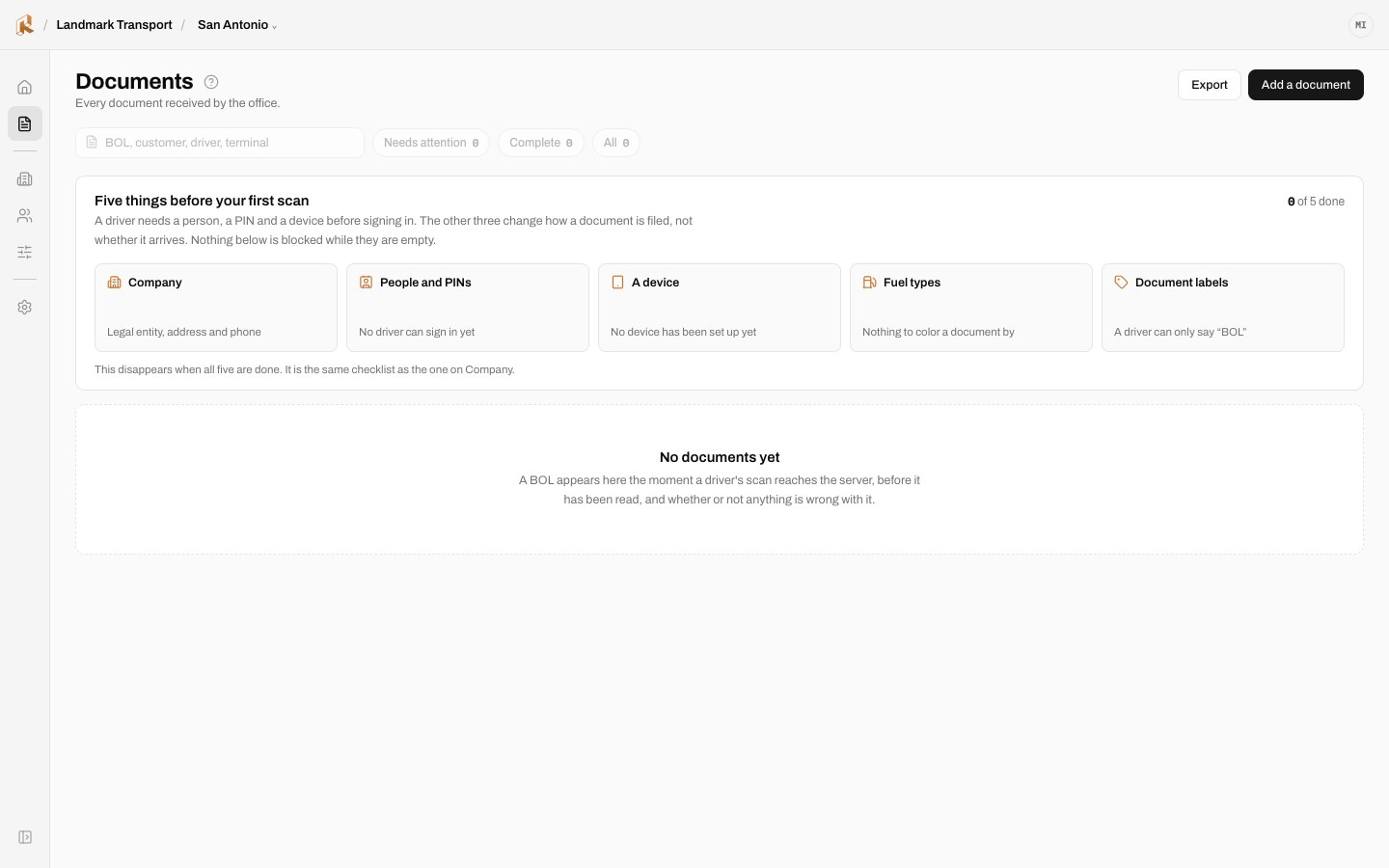
DAY ONE
Empty states that teach
A new carrier sees what will appear here and the one step that makes it appear.
A SYSTEM, NOT A SET OF SCREENS
Shared rules across both surfaces
Archivo for interface, IBM Plex Mono for anything a machine produced, copper only where a person must act. The navigation collapses to icons for small office monitors and expands on hover.
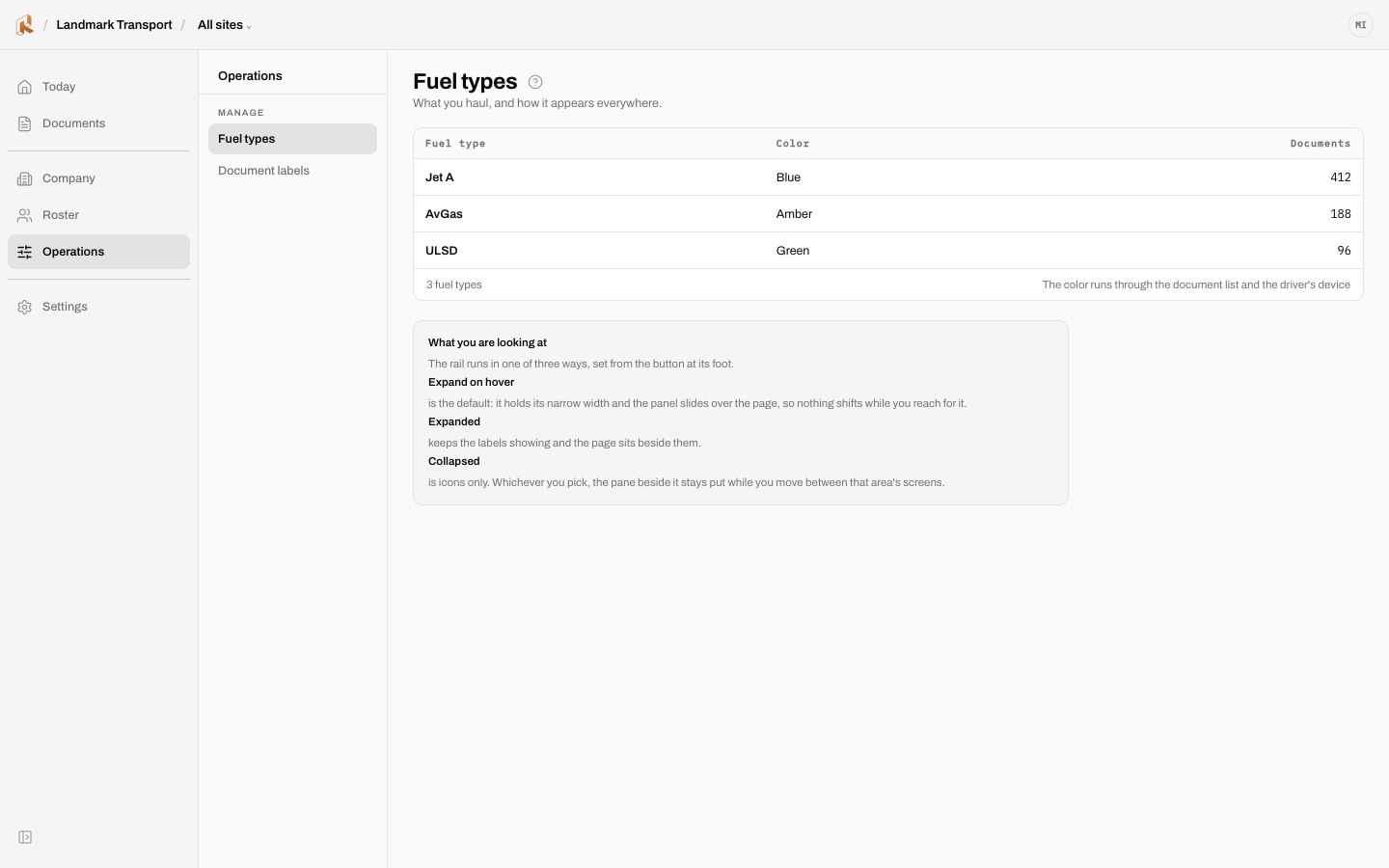
NAVIGATION · EXPANDED
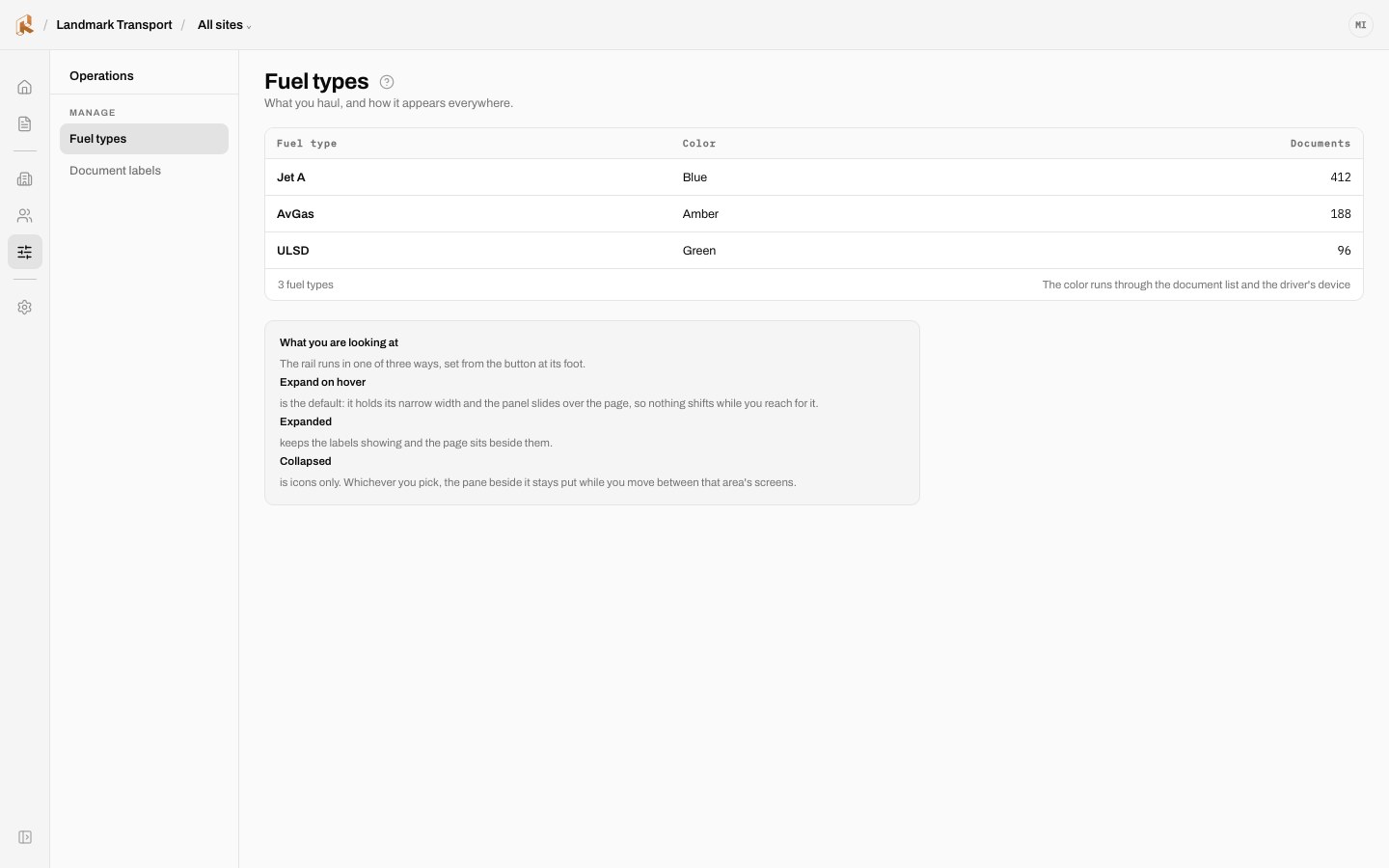
NAVIGATION · COLLAPSED
DESIGN DECISIONS
Five decisions carry the product's character
Each is a claim about how software should behave in a yard, an office, and a business where the margin lives in the paperwork.
01
A PIN is never displayed, only set and reset
The tablet is shared, so the PIN is the driver's only boundary. It is shown once, read aloud to the driver, and nobody can look it up afterwards. That includes the office. If a driver forgets it, the office resets it and the old one dies. A credential you cannot retrieve is a credential you cannot leak.
02
Every row names the consequence, not the state
Not "low confidence" but the scan read 8,161 and was not sure. Not "unrated" but the load ran, its invoice is $0.00 and cannot be approved. A state label asks the user to know the system. A consequence tells them what happens to their money if they do nothing.
03
A scoped admin sees site names without counts
A filtered count returns zero for a site with one driver and zero for a site with none. Two identical zeros, one true and one false, and no honest caveat distinguishes them. Omission is the only truthful rendering, so the scoped view names the sites and shows no numbers at all.
04
An invoice is never sent without a human approving it
The pipeline automates reading, filing, and assembly. It does not automate the decision to bill. Money leaves the building by a person's judgment, and the approval is recorded as one. Automation earns trust by knowing where to stop.
05
The office learns whether a document arrived, never what the tablet is doing with it
The system reports outcomes: this BOL is in, this one is not. It does not stream the device's activity to the office, because the product is a pipeline for documents and not a surveillance tool for drivers. That line keeps the tablet welcome in the yard.
THE STACK
Next.js App Router · TypeScript · React Server Components by default
Supabase Postgres · Row-Level Security enforced on every table
Supabase Auth · Storage with per-org prefixes and RLS on the bucket
Vercel deployment · migrations applied by a human, never by CI
Genius Scan SDK for on-device capture and perspective correction
Multi-tenant from the first commit · two CI guards: a table without RLS fails, code without RLS fails
Architecture decisions recorded as ADRs · every schema change a forward-only numbered migration
Supabase Postgres · Row-Level Security enforced on every table
Supabase Auth · Storage with per-org prefixes and RLS on the bucket
Vercel deployment · migrations applied by a human, never by CI
Genius Scan SDK for on-device capture and perspective correction
Multi-tenant from the first commit · two CI guards: a table without RLS fails, code without RLS fails
Architecture decisions recorded as ADRs · every schema change a forward-only numbered migration
The guards matter more than the frameworks. A tenancy mistake in this product is another carrier's revenue on your screen, so the build refuses two whole classes of that mistake.
WHAT THIS PROVES
One person carried this from the yard to production
Product judgment
Two tiers of one product, so a carrier can start small and grow without switching systems.
Design under constraint
Gloves, glare, dead spots, and a shared device shaped every driver screen.
Systems thinking
87 designed states, two themes, and one token set across driver and office.
Engineering ownership
Multi-tenant from the first commit, with CI guards that refuse unprotected tables and code.
Responsible automation
A human approves every invoice, and the office never watches the tablet.

The office opens the invoice and the document is already there. That is the product.
C.Price
MBA·PMP
Product · Technology · Institutional Transformation
© 2026 C.Price
Charlotte, NC